Plugins:别人写好的工具,装上就能用
📍 进阶 10/10(02 区终篇) · 上一篇:← 自定义 Skills:重复活一行召唤

02 区终篇:站在巨人肩膀上
Section titled “02 区终篇:站在巨人肩膀上”你读完了 02 区前 9 篇——
- 会让 Claude 读 / 改文件
- 会跑命令、管 permission
- 会写 CLAUDE.md
- 知道 context / checkpoint / 省钱
- 会用 30+ slash command
- 会写自定义 Skill
最后一步——你不用什么都自己写。社区上千个老手写好的 Plugin,直接装到你的 Claude Code,几分钟拥有别人三个月调出来的工作流。
这就是 Plugin。
Plugin 跟 Skill 的关系
Section titled “Plugin 跟 Skill 的关系”
简单一句话:
Skill 是你自己写的。Plugin 是别人写的 Skill + Tool + Hook 的打包版。
| Skill | Plugin | |
|---|---|---|
| 来源 | 你自己写 | 别人写好发布 |
| 形态 | 一个 markdown 文件 | 一个完整目录:可包含多个 Skill / Tool / Slash / Hook |
| 安装 | 你手动放进 .claude/skills/ | /plugin install <name> |
| 更新 | 你手动改 | /plugin update 一键更新 |
| 典型例子 | weekly-report.md | claude-code-pr-reviewer(含一个 PR review Skill + 一个 git tool + 一个 commit hook) |
类比:
- Skill = 你自家厨房自己做的菜
- Plugin = 米其林大厨打包好的预制菜套装
新手节奏:先装几个高频 Plugin 用熟,然后有什么 Plugin 没覆盖的需求,自己写 Skill 补。
官方 Marketplace 在哪
Section titled “官方 Marketplace 在哪”
两个入口:
入口 1:Claude Code 内置浏览
Section titled “入口 1:Claude Code 内置浏览”/plugin直接在 Claude Code 内弹出 Plugin 浏览面板,可以按类别 / 评分 / 安装量排序。
入口 2:网页版
Section titled “入口 2:网页版”(同步官方 marketplace 内容,可以收藏 / 评论 / 看别人怎么用)
两个入口数据互通——你在网页收藏的,Claude Code 里也能看到。
5 类值得装的 Plugin
Section titled “5 类值得装的 Plugin”下面列的是「应该装这一类」,具体哪个包名当前评分最高——用 /plugin 命令在 Marketplace 里搜对应关键词挑当下的好选。Marketplace 里的包名 + 维护者会随时间变,别照搬下面假设的包名。
1. PR review 类(关键词搜:code review / pr review)
Section titled “1. PR review 类(关键词搜:code review / pr review)”做什么:让 Claude 自动 review 你的 git diff,找 bug / 性能问题 / 风格问题,生成结构化 review comment。
用它:在 git 仓库里说「review 一下我这个分支的改动」,装好就能自动跑。
2. commit message 类(关键词搜:commit / conventional commits)
Section titled “2. commit message 类(关键词搜:commit / conventional commits)”做什么:看 staged changes,自动写一条好的 commit message,符合 conventional commits 规范。
用它:在 Claude Code 里说「写个 commit message」,自动跑。
3. 中文写作类(关键词搜:chinese / 中文)
Section titled “3. 中文写作类(关键词搜:chinese / 中文)”做什么:专门优化中文表达——删虚词、动词起头、不长篇大论。最适合中文用户。
用它:写中文邮件 / 周报 / 报告时它会自动召唤。
4. 一键部署类(关键词搜:deploy / cloudflare / vercel)
Section titled “4. 一键部署类(关键词搜:deploy / cloudflare / vercel)”做什么:把当前目录一键部署到 Cloudflare Pages / Vercel / Netlify —— 自动建项目、配域名、推代码。
用它:在静态项目目录说「部署到 Cloudflare」。
5. 报错智能修复类(关键词搜:bug / doctor / error fix)
Section titled “5. 报错智能修复类(关键词搜:bug / doctor / error fix)”做什么:你跑代码报了一个错,贴报错给 Claude,它自动搜资料 + 找根因 + 给出修复方案。比单纯让 Claude 「看看这个错」更深入。
用它:跑代码报错时直接贴 traceback。
怎么 install / uninstall / update
Section titled “怎么 install / uninstall / update”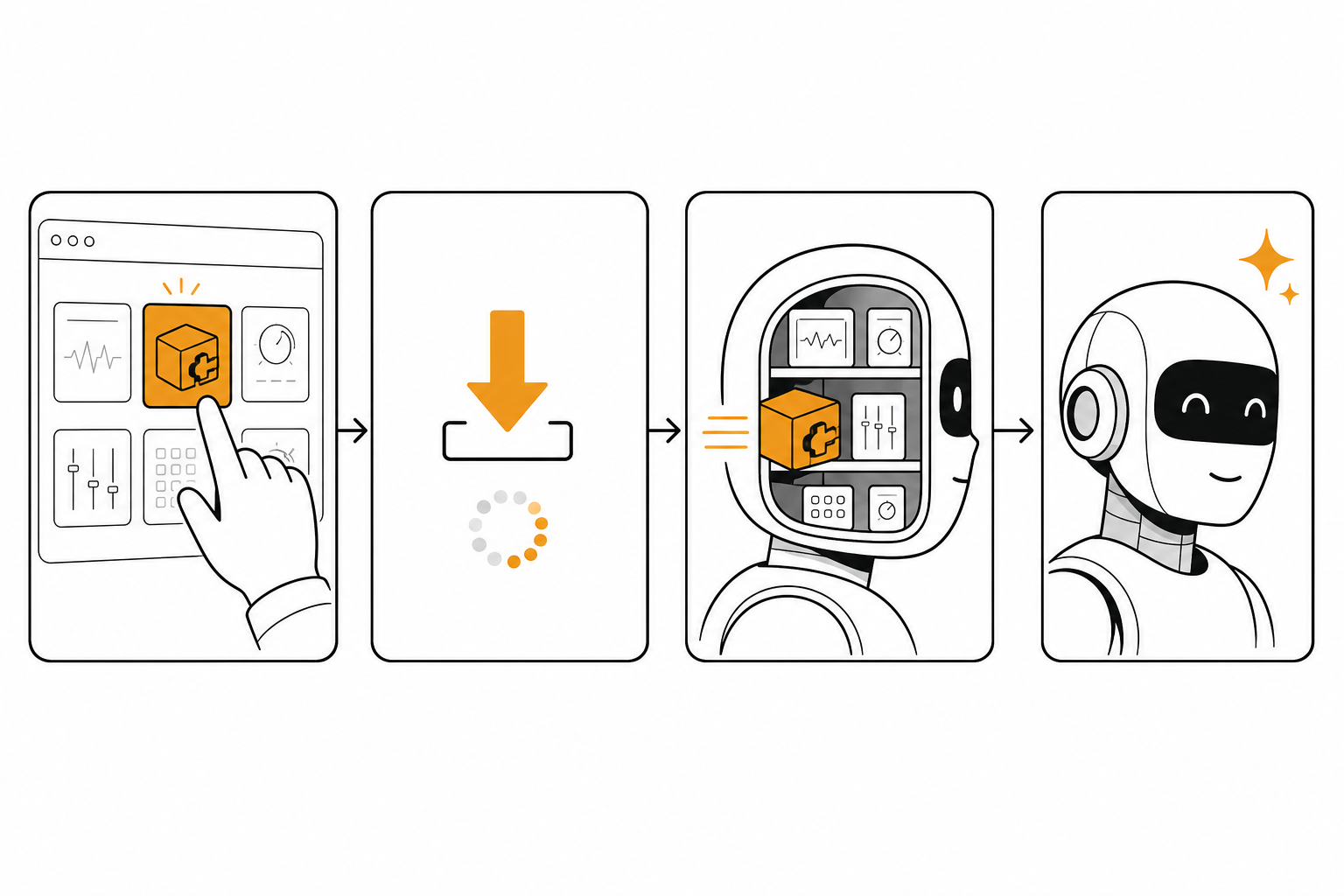
/plugin install <plugin-name>或者在浏览面板里点 install 按钮。
安装过程:
- 从 marketplace 下载文件到
~/.claude/plugins/<plugin-name>/ - 自动注册它包含的 Skill / Tool / Hook
- 重启 Claude Code(部分插件需要)
完成后会显示安装成功,并提示有哪些新功能可用。
看你装了什么
Section titled “看你装了什么”/plugin list列出所有已装的 Plugin、它们的版本、最后更新时间。
/plugin update <plugin-name> # 更新单个/plugin update --all # 全部更新Plugin 作者发新版后,你能一键升级。
/plugin uninstall <plugin-name>干干净净移除——所有它注册的 Skill / Tool / Hook 全部移除。
安全:装别人的 Plugin 之前看什么
Section titled “安全:装别人的 Plugin 之前看什么”Plugin 会获得 Claude Code 的工具能力——可以读你的文件、跑你的命令、调用外部 API。装之前必看 3 件事:
✅ 1. 看作者跟评分
Section titled “✅ 1. 看作者跟评分”- 官方认证作者(蓝色 ✓ 标记) → 放心装
- 社区作者 + 评分 4.5+ / 装机量 1000+ → 基本可信
- 新作者 + 评分低 / 装机量 < 50 → 看代码再装
✅ 2. 看 permission 申请
Section titled “✅ 2. 看 permission 申请”每个 Plugin 都会声明它需要的权限——比如:
- “读 ~/Documents/”
- “跑 git 命令”
- “调用 OpenAI API”
看完觉得合理才装。如果一个「中文写作助手」要「读 ~/.ssh/」——直接拒绝。
✅ 3. 看 GitHub repo 是不是开源
Section titled “✅ 3. 看 GitHub repo 是不是开源”/plugin info <plugin-name>会列出 GitHub 链接。有 repo + 开源 = 你可以亲自 review 代码,无 repo = 闭源黑盒——重要场景(比如生产环境)不要装黑盒插件。
发布你自己的 Plugin
Section titled “发布你自己的 Plugin”
如果你写了一个特别好用的 Skill + Tool 组合,可以打包成 Plugin 分享给社区。
Step 1:建一个 Plugin 仓库
Section titled “Step 1:建一个 Plugin 仓库”mkdir my-plugin-namecd my-plugin-name
# 必备文件touch plugin.json # 描述文件mkdir skills tools hooks # 三个子目录plugin.json 长这样:
{ "name": "my-plugin-name", "version": "0.1.0", "description": "一句话说清楚这个 Plugin 干嘛的", "author": "你的 github 用户名", "permissions": ["read:files", "exec:bash"], "skills": ["skills/main.md"], "tools": [], "hooks": []}Step 2:写 Skill / Tool / Hook
Section titled “Step 2:写 Skill / Tool / Hook”把你常用的 Skill 文件放进 skills/ 目录,跟普通 Skill 写法一样。
Step 3:推到 GitHub + 提交到 Marketplace
Section titled “Step 3:推到 GitHub + 提交到 Marketplace”git initgit add .git commit -m "Initial release"gh repo create my-plugin-name --publicgit push -u origin main然后在 https://claude.com/plugins/submit 提交 GitHub 链接,通过审核后会上架到 Marketplace。
收益:
- 给社区贡献,积累你的「公开作品」
- 别人评分高的 Plugin 会被官方推荐(账号曝光)
- 学到「写给别人用的代码」跟「自己用」的差距
三个新手最容易踩的坑
Section titled “三个新手最容易踩的坑”❌ 坑 1:装一堆 Plugin 不卸载
Section titled “❌ 坑 1:装一堆 Plugin 不卸载”/plugin list新手第一个月可能装了 20 个 Plugin,实际只用 3 个——剩下的每个都在加载时消耗 context 跟启动时间。
修正:每月 review 一次,3 个月没用过的卸载。/plugin list 看一眼,/plugin uninstall 删一行。
❌ 坑 2:装黑盒 Plugin 在敏感项目跑
Section titled “❌ 坑 2:装黑盒 Plugin 在敏感项目跑”“我装了一个不知名的
auto-deployPlugin,在我公司生产代码库跑了。”
踩坑:它可能把你的代码 / 凭证发给作者的服务器——重要场景禁止装黑盒。
修正:生产 / 含密钥的项目只装官方认证 + 开源 + 高评分的 Plugin。
❌ 坑 3:Plugin 跟自己写的 Skill 冲突
Section titled “❌ 坑 3:Plugin 跟自己写的 Skill 冲突”“我装了 chinese-writer Plugin,但我自己也写了一个 chinese-style Skill,两个被同时召唤,写出来的东西乱七八糟。”
踩坑:功能重叠 = Claude 不知道用哪个。
修正:装了 Plugin 之后,检查你自己的 Skill,有重叠的删掉一个(留 Plugin 或留自己的)。
02 区完结撒花
Section titled “02 区完结撒花”恭喜你!读完这一篇,你已经掌握了 Claude Code 的核心日常工作流:
- 装好 + 跑通(01 区 ✅)
- 读 / 改 / 跑 / 撤回 / 省钱(02 区前 7 篇 ✅)
- 用命令、写技能、装插件(02 区后 3 篇 ✅)
这套能力组合,已经让你能干 80% 的实际工作。
下一步:03 区即将开放
Section titled “下一步:03 区即将开放”接下来是 03 区:给我的项目用——给已经会基础操作的你,扩展更多场景:
| 主题 | 你能解锁的 |
|---|---|
| VS Code / Cursor 插件 | 跟编辑器深度集成 |
| 桌面 App | 可视化 GUI |
| Hooks | Claude 改完文件自动跑你的脚本 |
| MCP | 接外部服务(Slack / Drive / Polymarket) |
| Subagents | 多个 Claude 并行干不同活 |
| Worktrees | 多 session 隔离不打架 |
想第一时间收到 03 区更新,可以收藏 niuxue.org 主页。
如果你装了某个 Plugin 觉得特别值得推荐,或者发布了自己的 Plugin,告诉我们 [email protected],我们会精选放进社区推荐列表。
评论
不记名、不需要注册——不要邮箱,不要手机号,不要任何身份信息,填个昵称就能留言。放心说。